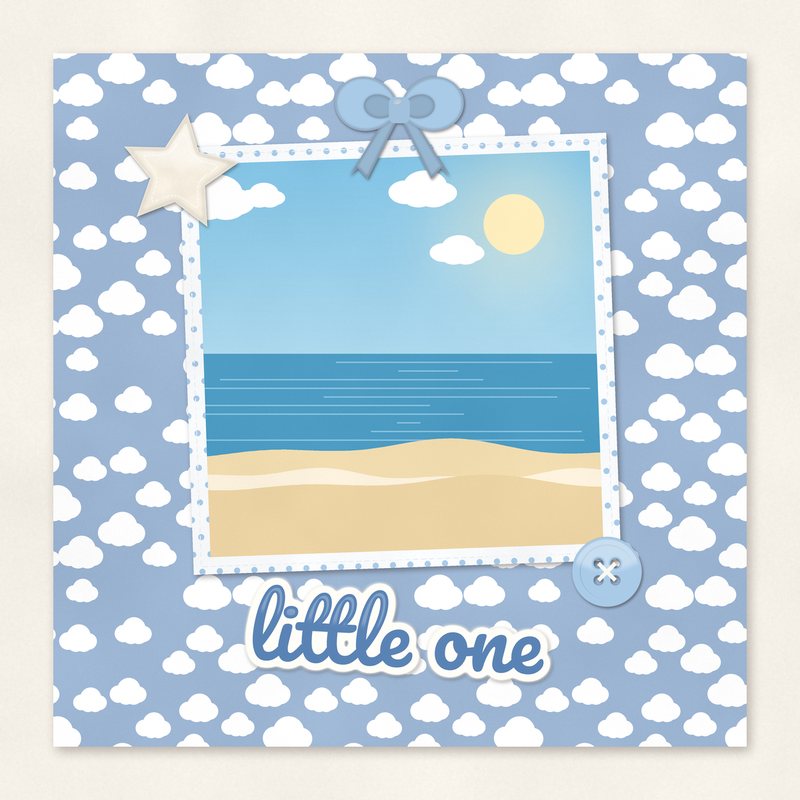
Little One Baby Quick Page
Soft clouds and one square photo hole for a baby portrait.
- Type
- Quick page
- Inside
- 1 photo hole
- Format
- PNG with transparent holes, 300 dpi
- Size
- 12 x 12 in (3600 x 3600 px)
- Download
- ZIP, 6.4 MB
- Themes
- Baby
- white
- baby blue
- denim
- cream
- mint
Free for personal use and for layouts and cards you sell or give away. Please do not share or sell the files themselves; link to this page instead. Terms of use
About this freebie
The Little One Baby Quick Page is a free download here at Free Digital Scrapbooking. This 12 x 12 inch layout features soft clouds in a palette of white, baby blue, denim, cream, mint, and navy. The file is a 3600 x 3600 pixel PNG with 1 transparent photo hole. The preview image shows an illustrated sample photo, but the downloaded file has a clear space ready for your picture. It is a great choice for baby portraits and shower gifts.
Ideas for using it
- Frame a 6.8 x 6.8 inch newborn hospital portrait to place in a memory book for grandparents.
- Create a cover page for a baby boy album using the baby blue and navy color scheme.
- Print the finished 12 x 12 inch page to frame as nursery wall art or a shower decoration.
How to use it
- Place your photo on a layer below the PNG file so it shows through the transparent hole. Read more on how to use quick pages.
- Resize your picture to fit the 6.8 x 6.8 inch square opening before merging your layers together.
- The ZIP file is about 6.4 MB. Download it to a computer and extract the PNG file before opening it in your software.
- Put your photo on a layer under the quick page and move it until it shows through the hole.
- Keep the quick page as PNG while you work so the holes stay transparent.
What is inside the ZIP
One folder named little-one-baby-quick-page with the files below (file names start with little-one-baby-quick-page-), plus README.txt and LICENSE.txt.
| File | What | Pixels | Type | Size |
|---|---|---|---|---|
| little-one-baby-quick-page.png | quick page | 3600 x 3600 px (12 x 12 in) | PNG | 6.4 MB |
You may also like
More quick pages


Tutorials for this freebie
- How to use quick pagesLearn how to use digital scrapbooking quick pages. Discover how to place photos, resize them, and export your finished…
- Printing scrapbook pages at home vs at a photo labLearn how to print digital scrapbook pages at home or at a photo lab. Discover practical tips for paper choices, color…
- How to turn digital scrapbook pages into a photo bookLearn how to turn your digital scrapbook pages into a printed photo book. Get practical tips on sizing, bleeds…